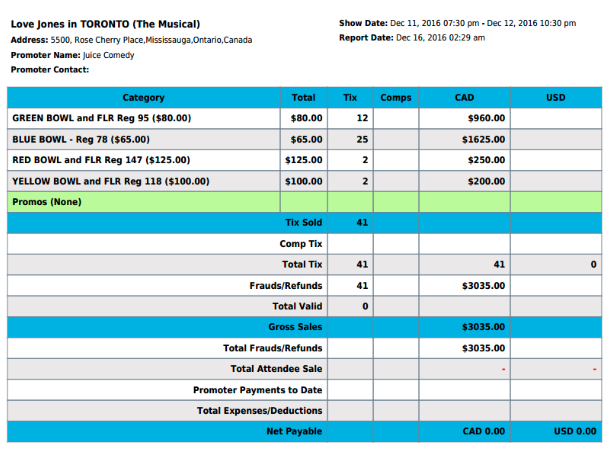
1.All Event Status
TicketGateway offers lots of ways to see data about your event visually. With charts, you can quickly reference data for sales by top selling events and all event ticket sales. Go to your event's "Manage" page and click "Charts" to get started!
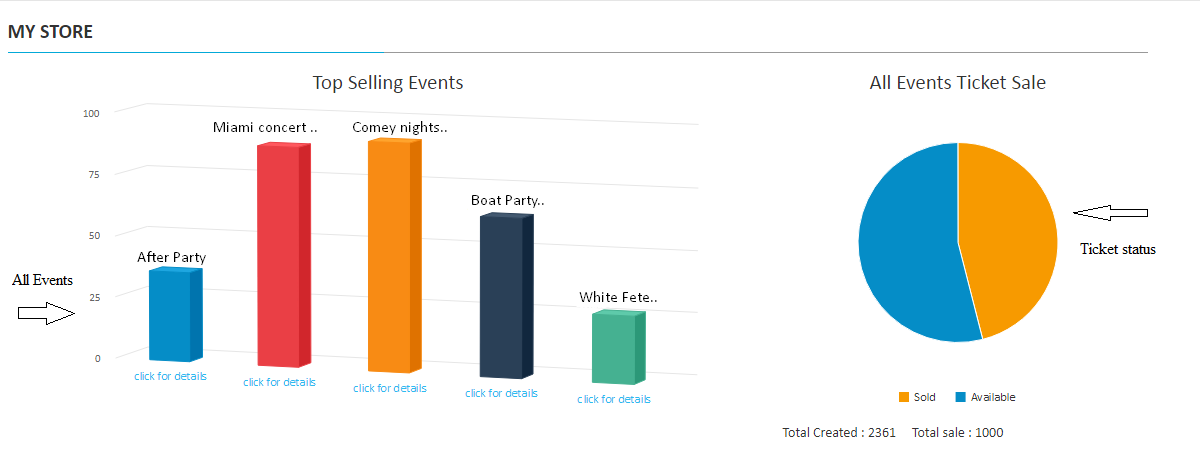
To check each events in details follow the steps below:
1. Go to your "My Store" and select "Manage"

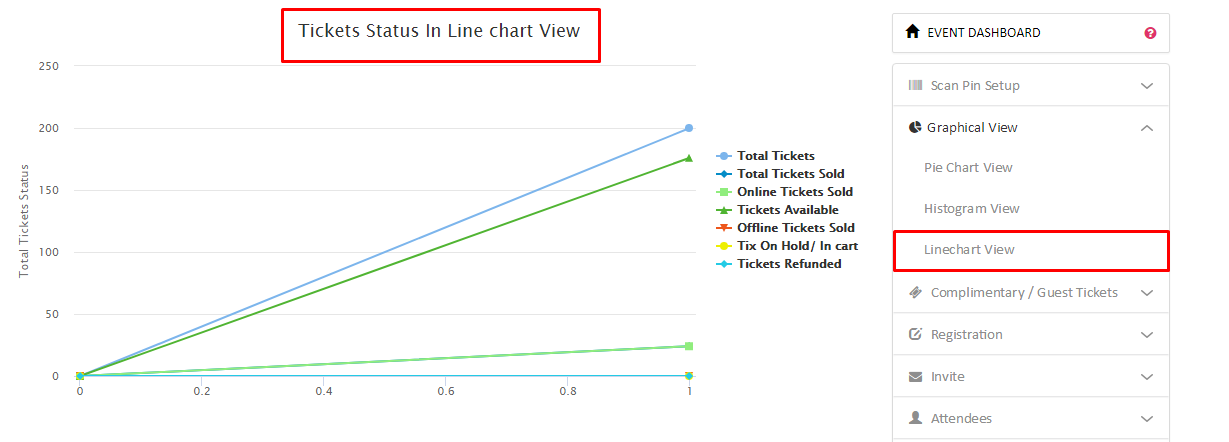
2. Then select "Graphical View" under the event dashboard menu on right side
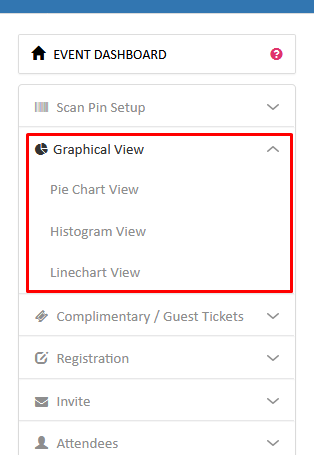
2.Event Chart
2.1 Pie Chart
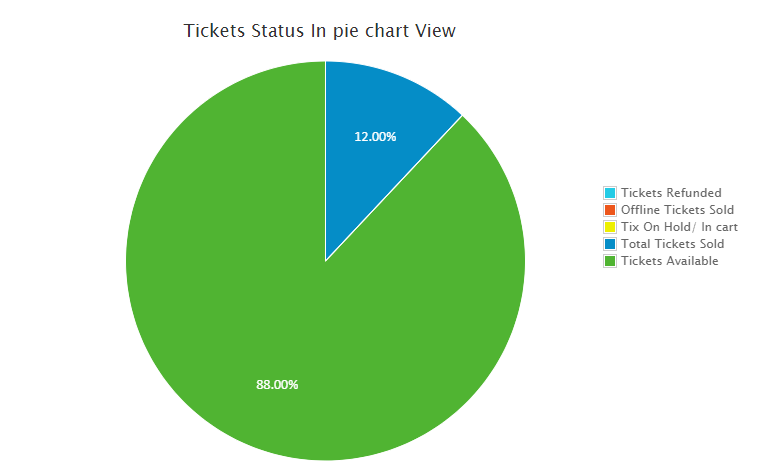
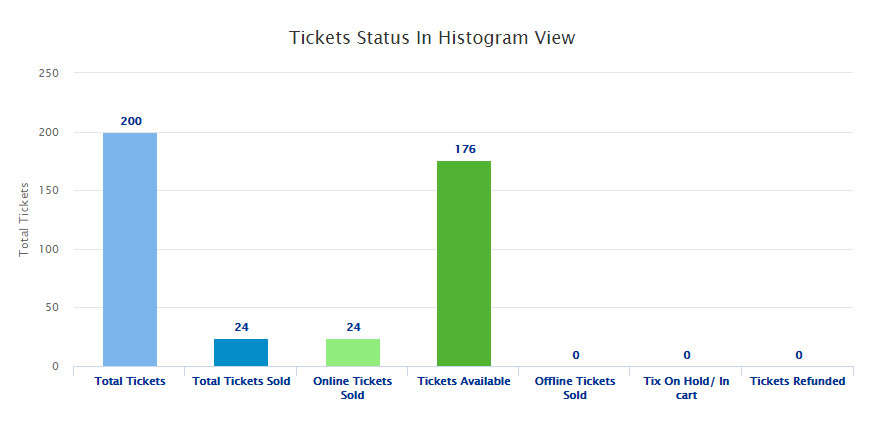
2.2 Histogram View
2.3 Line Chart View
3. Event Reports
In the TicketGateway reporting system, you can view a summary of tickets. You can also download itemized sales, purchase and payout reports in an excel, .CSV, or text file format. From your event manage page you view all of this data.
3.1 Download Sales Report
- On TicketGateway, you can download itemized sales, purchase and payout reports in an excel or CSV format.
- Select "My Store" and select the event for which you wish to download the reports.
- Select "Manage" - here you can download sales reports in an excel or .CSV file format with the selected date range.
3.2 Download purchase report
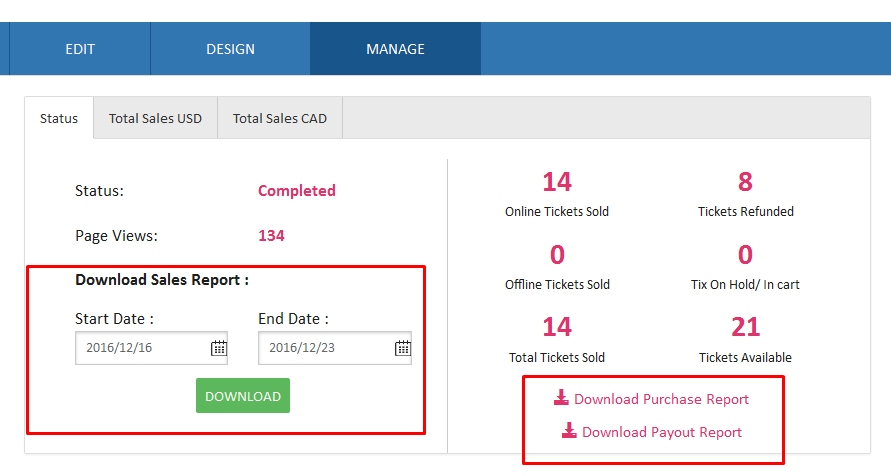
3.3 Download payout report